
Spin to Win App with 4 Payment Gateways and Admin Panel
.jpg)
Spin to Win Overview
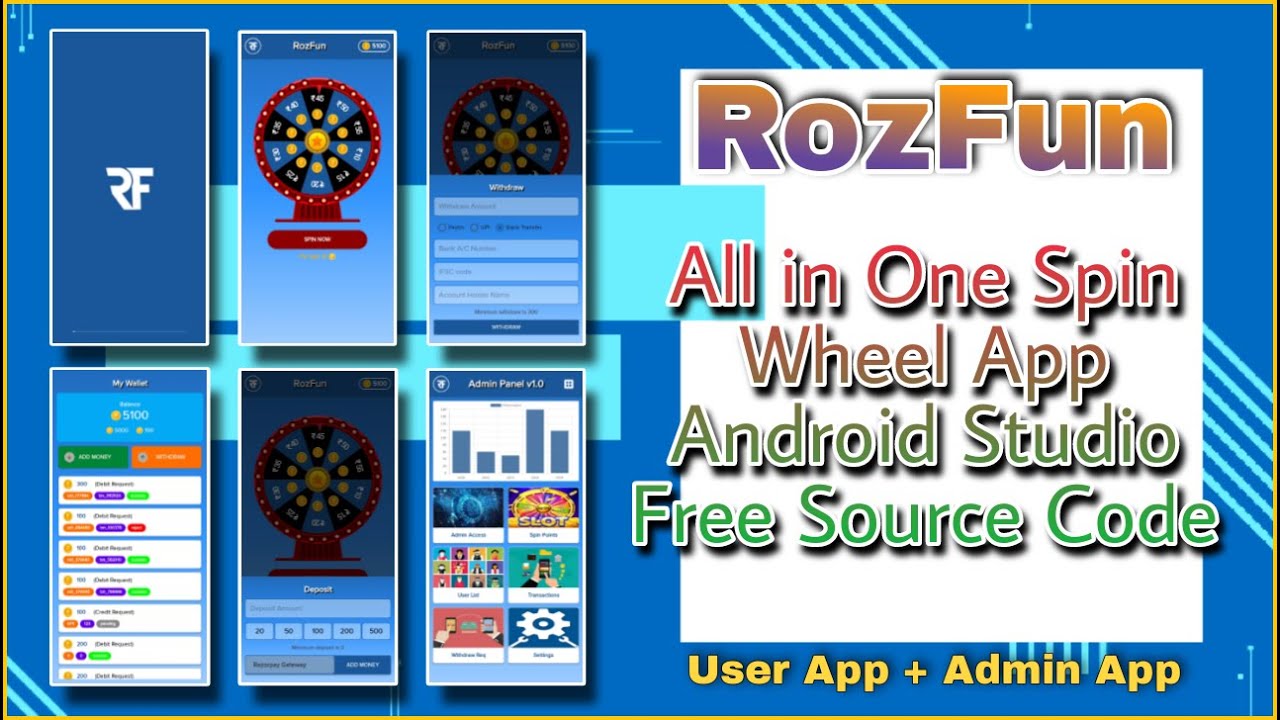
Spin to Win combines interactive spin wheel gameplay with payment gateway integration in an Android earning application. The project is built around a reward-based user experience and includes four payment gateway integrations along with an admin panel. This makes it a useful reference for developers exploring reward applications that also require payment-related functionality and backend management.
Spin to Win Features
- Interactive spin wheel functionality.
- Spin-based reward activities.
- Integration of four payment gateways.
- Payment-related transaction functionality.
- Admin panel for supported application management.
- Android Studio application source code.
Technology & Development Information
This project is developed using the technologies and development tools listed below.
| Specification | Details |
|---|---|
| ProjectType | AndroidApplication |
| ProgrammingLanguage | Kotlin |
| DevelopmentEnvironment | AndroidStudio |
| BuildSystem | Gradle |
| Platform | Android |
| SourceCode | Included |
System Requirements
Before opening the project, make sure your development environment meets the following requirements.
- AndroidStudio(compatibleversion).
- Kotlinpluginandcompilersupport.
- JavaDevelopmentKit(JDK).
- Gradleandrequireddependencies.
- AndroidSDKandcompatiblebuildtools.
- Internetconnectionfordownloadingdependencies.
Project Tutorial & Demo
Explore the project interface, features, and functionality through the screenshots and video demonstration below.
Video Tutorial: Watch on YouTube
Download Project Source Code
Ready to explore this project? Download the complete source code and start learning, customizing, and experimenting with the application. Follow the provided installation instructions to get started.
The project source code is available through MakeEasy. Download the project package and explore its source files, resources, and available documentation.
Get The Source Code NowInstallation & Setup Guide
Ready to get started? Follow the installation instructions to configure the project, install the required dependencies, and run it in your development environment.
The installation process may vary depending on the programming language, framework, and project requirements. Follow our step-by-step setup guide to understand the complete installation and configuration process.
View Complete Installation GuideCustomization & Development
Developers can modify the source code to customize the user interface, application behavior, and other supported features.
What Can You Customize?
- Application name, logo, and branding.
- Colors, fonts, and user interface elements.
- Application content and configuration.
- Additional features and functionality.
- Database structure, where applicable.
Who Can Use This Project?
This project may be useful for:
- Students learning application development.
- Beginner Android or PHP developers.
- Developers exploring existing source code.
- Programmers practicing customization.
- Developers looking for a learning reference.
License & Usage Information
The source code is distributed under the license and usage conditions specified by MakeEasy. Please review the applicable project license before modifying, publishing, or redistributing the files.
- Respect the original licensing terms.
- Do not resell or redistribute restricted files.
- Do not claim third-party work as your own.
Disclaimer
This project is provided for educational and development purposes. Features, dependencies, and compatibility may vary. MakeEasy does not guarantee compatibility with every development environment or device.
Need Help?
If you encounter any issues while downloading, importing, or configuring the project, refer to the accompanying tutorial and project documentation.


.jpg)